Volume Booster - Voice Control: Boost Android audio with voice
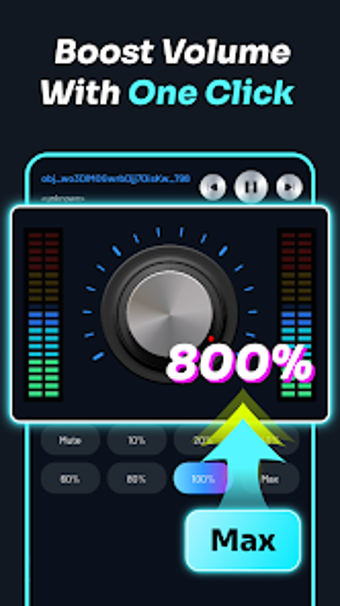
Try Volume Booster - Voice Control from Abdalrhman Hsn Aga, an Android utility that amplifies device audio and adds hands-free operation. Volume raises media output beyond standard limits and supplies a professional 10-band equalizer, Bass Booster and 3D virtualizer for playback tuning. Voice command integration with Google Assistant and dynamic UI themes provide convenience and personalization. It suits users who need louder output, audiophiles wanting precise EQ, and people needing hands-free control while active.
What the tool actually does for playback and loudness
The app applies a dedicated amplification path, a named Super Boost Volume Mode, to push media louder than default limits and improve audibility in noisy environments. In addition, the equalizer covers specific bands from 31 Hz to 16 kHz and exposes presets such as Pop, Rock, Jazz, Classical, and Bass Booster. Practical controls let you switch profiles or use a floating bubble to change levels without leaving the foreground app.
How it behaves while running alongside other apps
Volume requires permission to modify system audio settings and to display over other apps, so it operates while other apps run and keeps a persistent overlay. Because the tool applies real-time effects and an overlay, it runs active audio processing in the background; actual CPU and memory use depend on the device. Expect the floating widget to remain available for instant adjustments while media apps continue playback.
Whether it protects speakers and avoids distortion
The developer implements a smart amplification algorithm designed to reduce clipping and distortion when boosting output. The included guidance advises increasing volume gradually to limit speaker strain. The app’s requirement to change system audio settings means it acts at the system level, so users should monitor loudness on external speakers or headphones to avoid hardware stress.
Who can operate it and how much technical skill is required
The app presents two operating modes: preset-driven controls and a fully manual 10-band equalizer, so casual users can rely on presets while enthusiasts access granular band control. Voice command support tied to Google Assistant and the floating bubble widget let non-technical users make hands-free or one-tap adjustments. Nevertheless, effective use of the 31 Hz–16 kHz bands benefits from basic familiarity with frequency shaping.
A practical choice for louder, hands-free listening with one main caveat
Volume is a practical option for Android users who need louder audio combined with remote control, offering profile presets, voice actions, and persistent in-app controls as core strengths. The single clear drawback is hardware risk: aggressive amplification can strain speakers, so increase levels cautiously and test profiles at moderate volume before prolonged use.